 ThumbGlance
YouTube banner size and dimensions for channel art.
The recommended YouTube banner size is 2560 × 1440 px, especially for TV. These YouTube banner dimensions describe the full canvas for your YouTube channel art; the YouTube channel art size refers to that full canvas. The minimum upload is 2048 × 1152 px at 16:9; at that minimum size, the YouTube banner safe area for text and logos is 1235 × 338 px. The file must be 6 MB or smaller. YouTube Help, checked .
Preview your banner ↓ Resize an image to banner size →What our Studio upload test actually showed
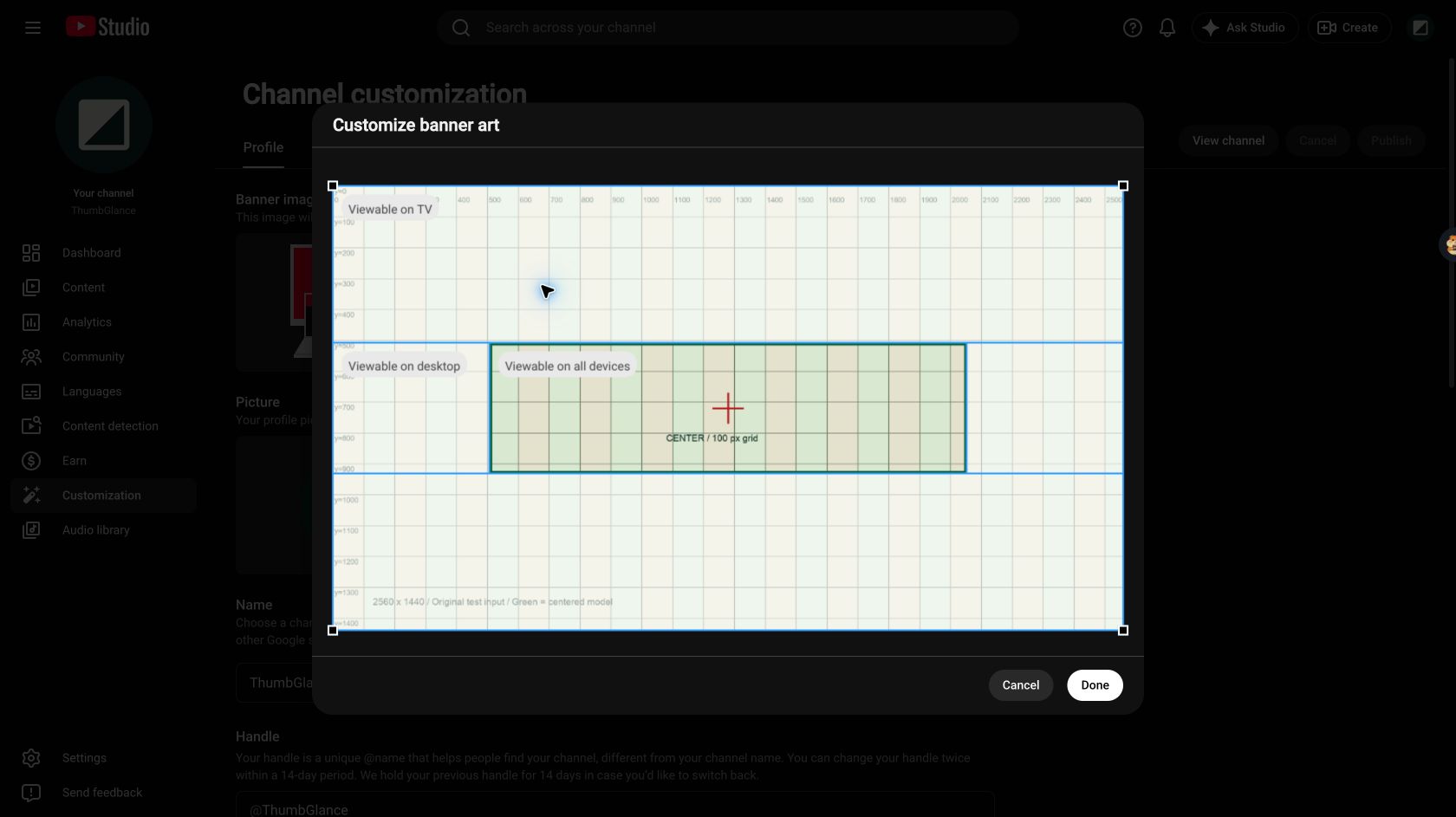
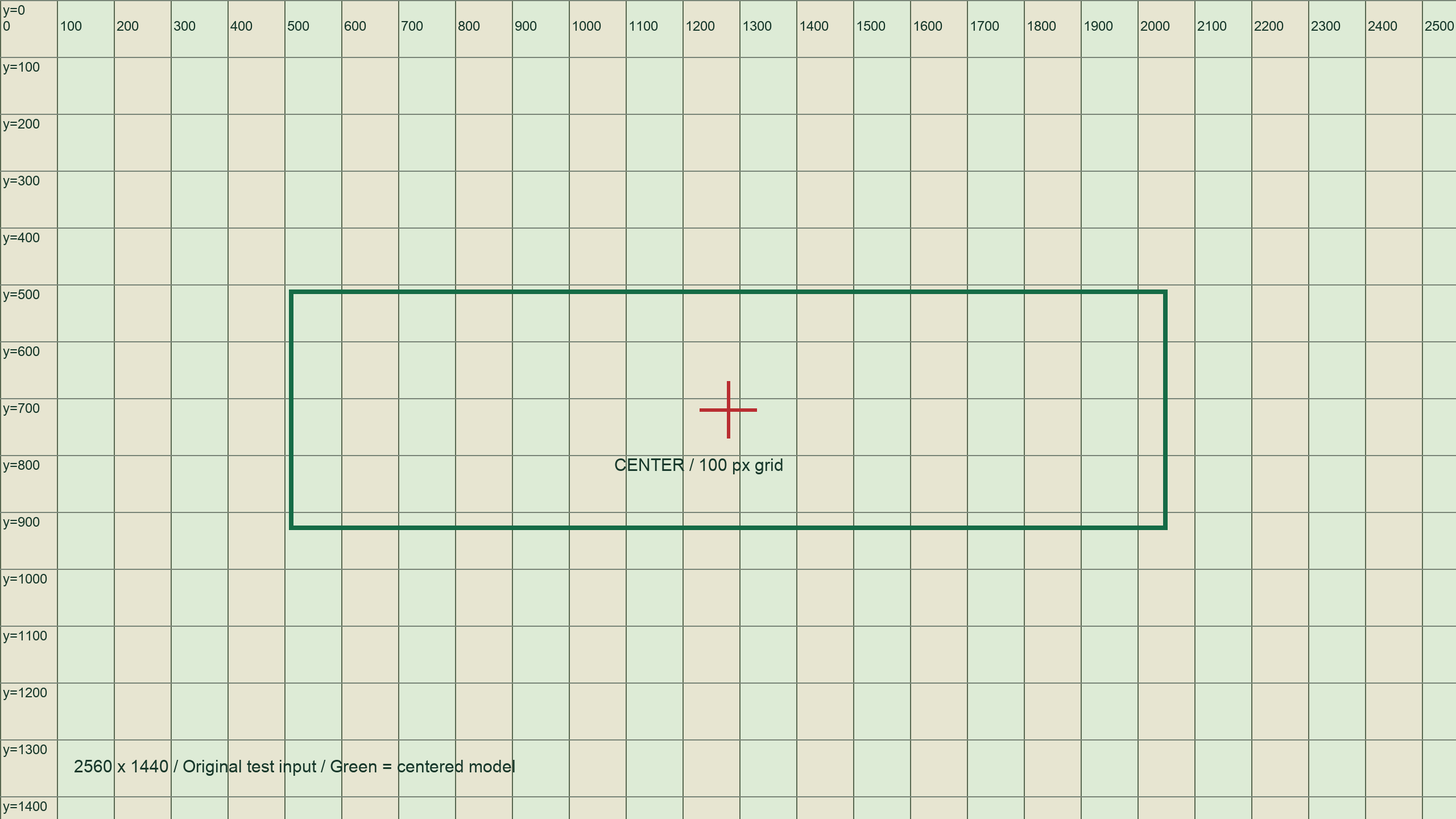
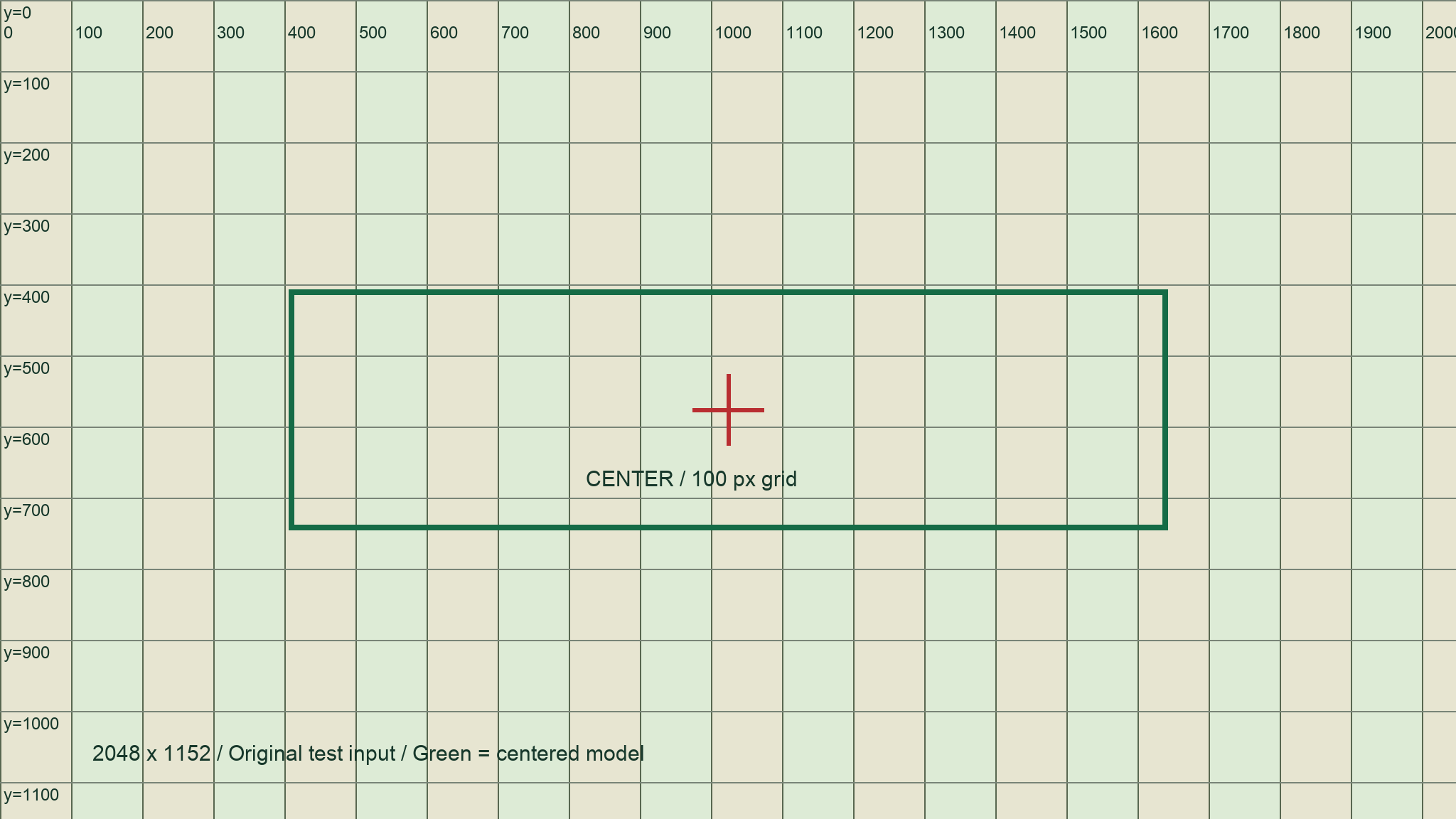
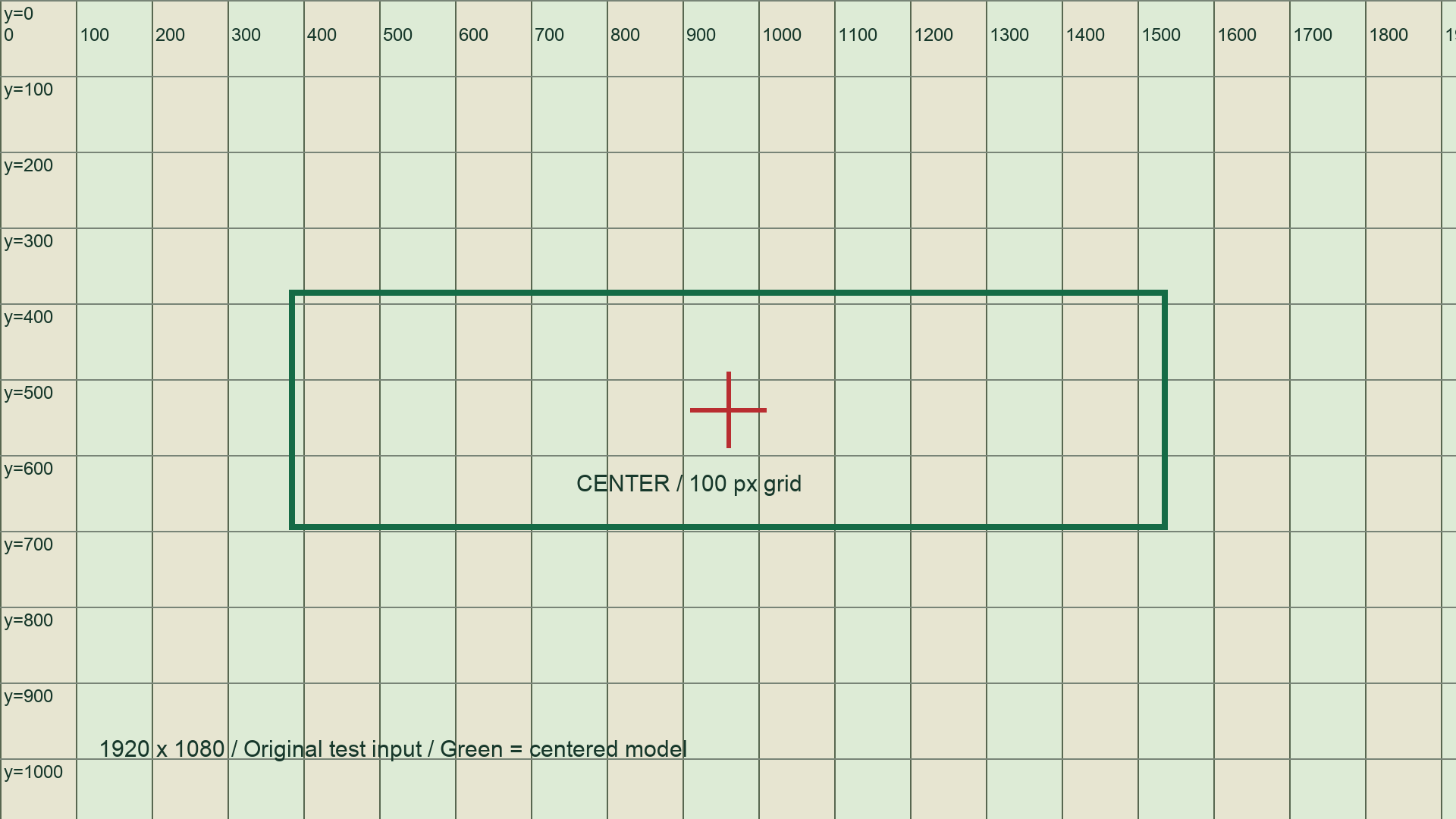
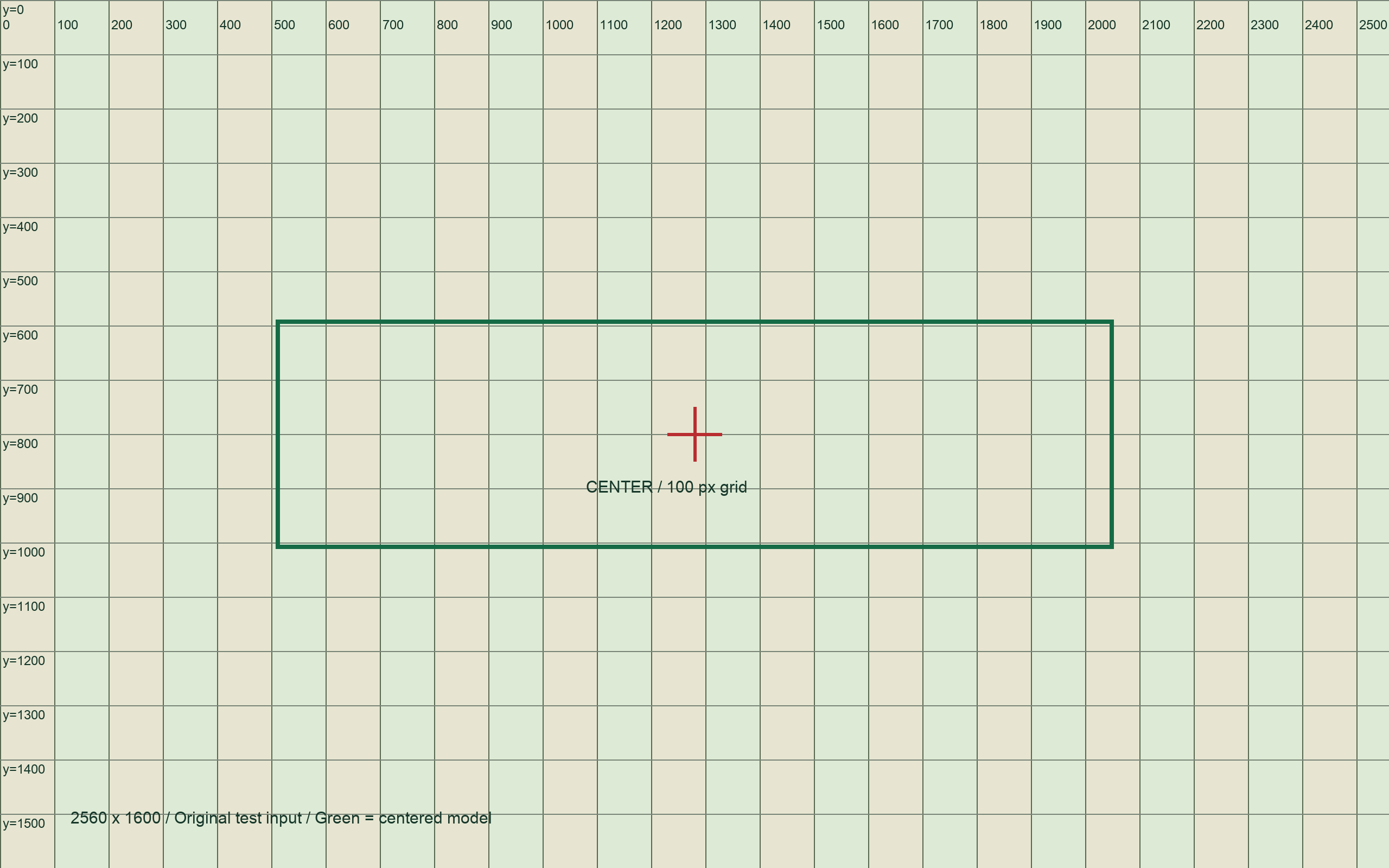
We tested five original PNGs in desktop YouTube Studio on October 5, 2026 (UTC). Two baseline ruler images used the recommended and minimum canvases. All four small inputs carried a 100 px grid, a center cross and a green frame drawn by us; the fifth used noise to increase its file size. These marked files are measurement fixtures, not finished channel artwork. We selected them through Customization → Profile → Banner image, recorded the crop dialog or error, and cancelled every pending change. No test banner was published.
The grid distinguishes the source image from Studio’s blue boundaries: the green rectangle was already in our file and is not a platform overlay. File dimensions, exact encoded bytes and SHA-256 hashes are in the sample manifest. The input generator recreates all five files with Pillow and the macOS Arial font used in this run. Four small inputs are linked below; the large noise PNG can be regenerated.
| Input | Encoded bytes | Observed result |
|---|---|---|
| 2560 × 1440 ruler | 62,386 | Entered the crop dialog. TV used the whole selected canvas; desktop was a horizontal band; all devices was a central rectangle. |
| 2048 × 1152 ruler | 52,503 | Entered the same nested overview. Cancel returned to the unchanged banner field. |
| 1920 × 1080 ruler | 49,353 | Entered the crop dialog, then Done reached an unpublished pending change. It was not rejected at either of those stages. |
| 2560 × 1600 ruler | 67,113 | Entered the crop dialog. The default selection removed top and bottom strips. Done reached an unpublished pending change. |
| 2560 × 1440 noise PNG | 11,076,121 | Rejected before the crop dialog. The size error appeared on the Profile page. |
The labels describe regions, not three buttons
Our Studio dialog labeled its outer region “Viewable on TV”, its full-width middle band “Viewable on desktop”, and its smaller center “Viewable on all devices”. It did not label a separate mobile view or provide three device-switch buttons. We saw image edges outside the central region shaded by the overlay, without a separate warning that our edge text was out of bounds.
Reading only the blue edges against the 100 px grid, the 2560 × 1440 central rectangle began between x500–600 and ended between x2000–2100; its top was between y500–600 and its bottom between y900–1000. On the 2048 × 1152 input, the corresponding intervals were x400–500, x1600–1700, y400–500 and y700–800. These are coarse source-image readings from the crop preview, not exact device coordinates. The grid cannot resolve individual pixels or justify replacing those intervals with a precise safe-area specification.
A quality hint did not act as a rejection
The 1920 × 1080 dialog displayed a suggestion to use at least 2560 × 1440 for best results. Nevertheless, selecting Done enabled the pending-change controls. The 2560 × 1600 input also reached that stage after the default crop. We cancelled both changes rather than publishing. This separates a quality hint, a crop operation and a completed public upload; our observation does not establish a lower supported minimum or guarantee that either file passes Publish.
A valid canvas can still fail the file-size check
The noise image had the same 2560 × 1440 dimensions as the first ruler but a much larger encoded file. Studio rejected it with this exact message: Try adding a file that's 6MB or smaller
. That establishes one refusal above the displayed size label. We did not test files close to the limit, so it does not establish whether the boundary uses decimal MB or binary MiB.
After cancelling and revisiting Profile, the original Upload field remained and the Cancel and Publish controls were disabled. This test records desktop Studio selection, crop and Done behavior. Phone and TV rendering, exact crop coordinates and Publish-stage validation were not measured. The original account screenshots are retained with the test record; the local tool below remains a separate simulation.
YouTube channel banner size by layout
Checked October 5, 2026. The YouTube banner image size specifications and our calculated crop preview model are explicitly separated. This compares layouts on the check date; it is not a historical change log.
| Device / layout | Visible region | Safe area | Cropping behavior |
|---|---|---|---|
| Minimum upload canvas YouTube Help | 2048 x 1152 px; 16:9. This is an upload canvas, not a device viewport. | 1235 x 338 px at this minimum canvas size. | Device-specific crop coordinates are not stated by YouTube. |
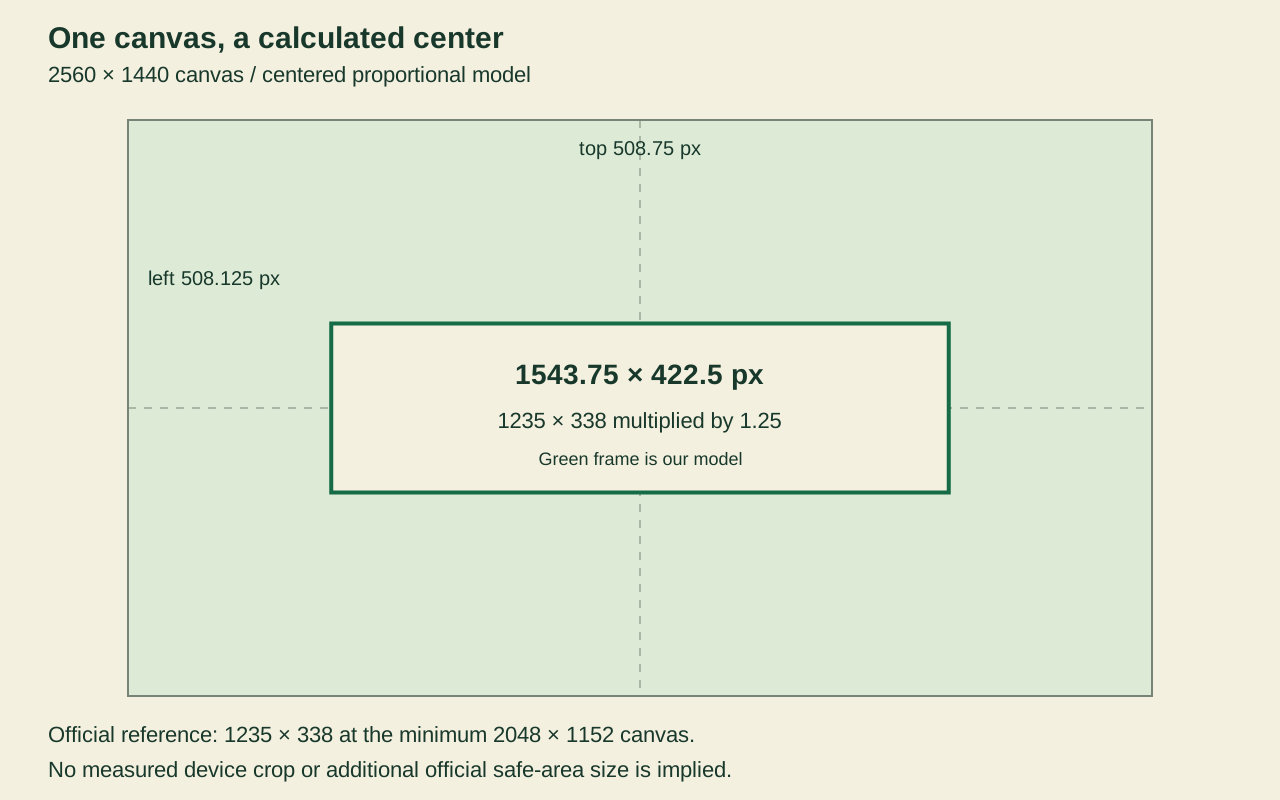
| Recommended canvas (especially for TV) YouTube Help | 2560 x 1440 px. Exact TV-visible region: not stated by YouTube. | At this canvas size: not stated by YouTube. Our scaled model: 1543.75 x 422.5 px. | TV simulation shows the whole canvas; not a measured YouTube display. |
| Desktop simulation YouTube Help | Actual device-visible pixels: not stated by YouTube. Our model at 2560 x 1440: 2560 x 422.5 px. | Official reference: 1235 x 338 px at 2048 x 1152. Model: 1543.75 x 422.5 px. | Our centered horizontal crop keeps the full width and the scaled safe-area height. |
| Mobile simulation YouTube Help | Actual device-visible pixels: not stated by YouTube. Our model at 2560 x 1440: 1543.75 x 422.5 px. | Official reference: 1235 x 338 px at 2048 x 1152. Model: 1543.75 x 422.5 px. | Our centered crop shows only the scaled safe-area rectangle. Verify in YouTube Studio. |
When choosing a YouTube banner size for all devices, the official banner tips page separately recommends at least 2560 × 1440 px for best display. The branding page specifies 2048 × 1152 as the minimum upload and 2560 × 1440 as the recommendation. Both wordings are retained.
Work out the YouTube banner dimensions
Choose the intended YouTube banner resolution before resizing. The following values are arithmetic derived from the official dimensions above; they are not new platform requirements.
Check the YT banner size at 16:9 without rounding
Test width × 9 = height × 16.
2560 × 9 = 23,040
1440 × 16 = 23,040
Equal products mean the image is exactly 16:9.
Calculate height from width
height = width × 9 ÷ 16
2560 × 9 ÷ 16 = 1440 px
2048 × 9 ÷ 16 = 1152 px
Scale the safe-area model
Use the official minimum canvas as the reference. Scale factor: 2560 ÷ 2048 = 1.25.
1235 × 1.25 = 1543.75 px
338 × 1.25 = 422.5 px
These are calculated model dimensions. YouTube does not state these values on the cited page. Fractions remain visible so rounding cannot silently become a new platform requirement.
Place a centered frame
For our model, left = (canvas width − safe width) ÷ 2 and top = (canvas height − safe height) ÷ 2.
(2560 − 1543.75) ÷ 2 = 508.125 px
(1440 − 422.5) ÷ 2 = 508.75 px
For a preview displayed at 320 px wide (an example input), scale coordinates by 320 ÷ 2560 = 0.125. The frame becomes 192.96875 × 52.8125 px. Its left/top offsets become 63.515625 / 63.59375 px.
Questions about banner crops
Does 1235 × 338 apply unchanged to a 2560 × 1440 canvas?
The cited YouTube branding page gives that safe area at the minimum 2048 × 1152 canvas. Our proportional model scales both sides by 1.25, producing 1543.75 × 422.5. That calculation is not an additional official specification.
Why can a file with the right YouTube header size still be cropped?
The YouTube cover photo size for a channel banner describes the upload canvas; a device's visible crop can be smaller. YouTube says the same banner appears differently across computer, mobile and TV. Keep important text inside the safe area, then inspect the crop in Studio. Our local simulations illustrate edge loss; they do not measure a device.
Is passing the local 6,000,000-byte check enough?
No. It is this tool's conservative interpretation of the official 6 MB label. The cited guidance does not define an exact byte threshold, and this tool does not submit the file to YouTube. The platform's upload result remains the final check.
Upload with a final check
- Choose your canvas size, add an image and inspect all three simulations with the frame visible.
- Download the PNG and check its actual byte size. If it exceeds the conservative limit, use the resizer below to export a smaller JPG.
- In YouTube Studio, open Customization → Profile, change the banner, inspect the platform’s preview and crop, then publish. Official upload instructions.
YouTube notes that Official Artist Channels use separate TV and YouTube Music banner settings. Review the linked official instructions if that applies to your channel.