 ThumbGlance
TWITCH PROFILE PICTURE
Twitch profile picture size.
Twitch Account Settings lists a maximum profile-picture size of 256 × 256 pixels, with GIF, JPG or PNG files up to 10 MB.
Twitch’s Channel Page Setup page confirms those three formats and the 10 MB file limit, but its profile-picture section does not list a pixel size. Both official pages were read on 2026-10-31 (UTC). Neither page states a minimum, aspect ratio or circular-display rule. The 1:1 square below is a tool canvas, not an official recommendation.
This is an independent tool, not affiliated with Twitch.
Twitch profile picture size: maximum, not recommendation
Both official pages are listed because they do not say exactly the same thing. Account Settings publishes the 256 × 256 maximum. Channel Page Setup repeats the formats and 10 MB limit but leaves the profile-picture pixel value out. The difference stays visible instead of being smoothed into one invented recommendation.
| Placement or rule | Published pixels and value type | Formats | File limit | Official source | Read (UTC) |
|---|---|---|---|---|---|
| Twitch profile picture | 256 × 256 px maximum (width × height) | GIF, JPG or PNG | 10 MB maximum | Twitch Account Settings | 2026-10-31 |
| Same placement, second official page | Pixels: Not stated | JPEG, PNG or GIF | Cannot exceed 10 MB | Channel Page Setup | 2026-10-31 |
| Official minimum | Not stated on either page | — | — | Account Settings; Channel Page Setup | 2026-10-31 |
| Official aspect ratio | Not stated | — | — | Account Settings; Channel Page Setup | 2026-10-31 |
| Circular display or safe area | Not stated | — | — | Account Settings; Channel Page Setup | 2026-10-31 |
| What “10 MB” means in bytes | Not stated; this tool compares 10,000,000 bytes as its own decimal target | — | 10 MB maximum | Twitch Account Settings | 2026-10-31 |
| Profile banner, for scope only | 1200 × 480 px recommended | Not stated on the page read | Not stated on the page read | Channel Page Setup | 2026-10-31 |
| Offline / video-player artwork | Pixels: Not stated | Not stated on the page read | Not stated on the page read | Channel Page Setup | 2026-10-31 |
Keep the scopes apart. The profile picture’s 256 × 256 maximum and 10 MB limit are not a banner recommendation. Twitch does not publish a profile-picture minimum, ratio or circle-crop rectangle on these pages. 800 × 800, 200 × 200 and “Twitch crops it to a circle” are not used here as official values.
The second official page is not a correction to the first. It is a separate Help article that repeats the profile-picture formats and file ceiling while omitting the pixel figure. Its offline/video-player row states no pixels, formats or file limit. A page can be larger than 256 × 256 before this tool processes it; the exported file is the thing checked below.
Check the right surface before you resize
- Name the surface. This page is for the Twitch profile picture. A profile banner and offline/player artwork have separate rules, even when a guide puts all three images together.
- Treat 256 × 256 as a maximum. The Account Settings sentence uses “maximum”; this page does not turn it into a minimum, a recommendation or a promise that every source needs that canvas.
- Keep the format list attached. Twitch lists GIF, JPG and PNG. This static export tool accepts PNG, JPG and WebP input, exports only PNG or JPG, and rejects GIF instead of flattening one frame.
- Compare the file you actually encoded. The result reports decoded width, height, MIME type and bytes. The 10,000,000-byte value is this tool’s conservative reading of “10 MB,” not a byte definition supplied by Twitch.
- Separate a local crop from Twitch’s display. Fill and Fit change your pixels here. The circle toggle only changes the local preview; the download stays square. No page read claims that the local circle is Twitch’s crop.
- When the result is soft, inspect before changing formats. The source dimensions, the crop and the local viewing size can all explain lost detail. A PNG export cannot restore detail that the source never had.
Make a 256 × 256 Twitch profile picture locally
The tool always exports a 256 × 256 square. Use Fill to cover the canvas and move the crop focus, or Fit to keep the whole image with transparent padding for PNG or the selected colour for JPG. There is no 2× option because neither official page publishes a larger recommendation.
WebP is accepted only as an input convenience. Twitch’s two profile-picture rows list GIF, JPG and PNG; this tool does not claim that a WebP source or an animated GIF will upload.
Actual encoded file, then a local shape check
Choose an image to begin.
No image loaded.
Square is the exported 256 × 256 file. Twitch does not publish a circular-display rule on the pages read.
See it at 128, 64 and 32 CSS px
These are local observation sizes chosen by this site. They are not official Twitch display sizes. The selected circle is a CSS clip on this page only.
What the encoded file shows
- Choose a static PNG, JPG or WebP image to read back the encoded file.
Tool limits, the square and the circle
Accepted inputs are static PNG, JPG and WebP; exported files are PNG or JPG. GIF is rejected before decoding so animation is never silently flattened. The 25 MiB input cap, 40,000,000-pixel cap and 10,000,000-byte comparison are this tool’s limits. Twitch says “10 MB” without a byte definition on the pages read.
The output has no 2× setting. Disabling a control does not change the exported shape: PNG Fit is transparent, JPG Fit uses the selected background colour, and the circle button only changes how the encoded square is displayed locally. Copy is not offered because this page exports one file at a time.
What our repeatable 256 × 256 test measured
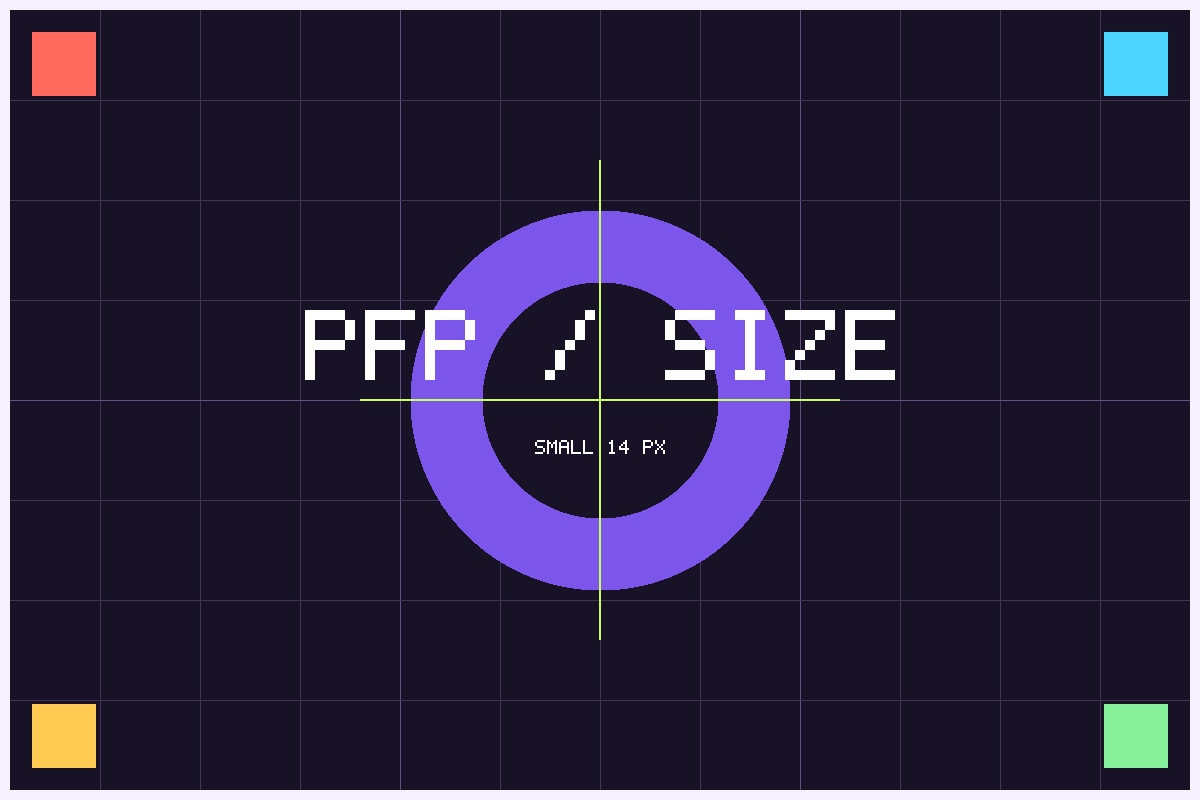
We made a deterministic 1200 × 800 source from code: a 100 px grid, four coloured corner markers, a central ring and crosshair, the large line “PFP / SIZE,” and a 14 px-high “SMALL 14 PX” line. The source, four exports, six small previews, full PNG readbacks and JPG decode records are in twitch-profile-picture-samples/results.json. Run make_samples.py with Python 3, cjpeg and djpeg to rebuild the set. It uses no clock, randomness or network access.
The script uses the same continuous Fill/Fit geometry as the browser: Fill scales to cover the canvas and keeps a centred source rectangle; Fit scales the whole source to fit and centres the result. Its PNG writer rasterises Fit as 171 rows at y = 43, while the browser draws the fractional 170.667 rows at y = 42.667 before its own rasterisation. It writes RGBA PNGs with Python’s standard library, converts the same RGB pixels to JPG with cjpeg -quality 92, unfilters and CRC-checks every PNG, and compares the decoded RGBA bytes with the expected pixels. JPG dimensions are parsed from the SOF marker; a separate djpeg decode supplies the actual decoded RGB and exact-colour marker count. The browser uses different resampling and encoding implementations, so these byte counts describe the generated files, not a browser download.
Fill and Fit at the published maximum
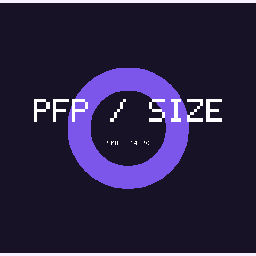
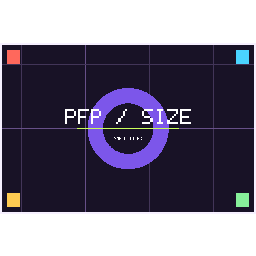
A 1200 × 800 source is wider than the square canvas. Fill scales it by 0.32, keeps the central 800 × 800 pixels from x = 200, and removes 320,000 px², or 33.33% of the source area. Fit scales the whole source by 0.213333, draws 256 × 171 raster pixels at y = 43, and leaves 21,845.33 px² of geometric padding, also 33.33% of the canvas. The rounded 171-row drawing leaves 21,760 actually transparent PNG pixels.
Fill: scale = max(256 / 1200, 256 / 800) = 0.32; kept = 800 × 800; removed = 960,000 − 640,000 = 320,000 px²
Fit: scale = min(256 / 1200, 256 / 800) = 0.213333; drawn = 256 × 170.667; padding = 65,536 − 43,690.667 = 21,845.333 px²
| Mode / format | Encoded pixels | Bytes | Source crop or padding | Small-label rows from mask · 32 / 64 / 128 | Marker pixels · PNG / JPG decoded |
|---|---|---|---|---|---|
| Fill · PNG | 256 × 256 | 1,402 | 800 × 800 at x = 200; 320,000 px² removed | 4 export · 0 / 1 / 2 | 0 / 0 |
| Fill · JPG | 256 × 256 | 9,872 | Same Fill geometry; quality 92 | 4 before JPG compression | 0 before / 0 decoded |
| Fit · PNG | 256 × 256 | 1,702 | 256 × 171 at y = 43; 21,760 transparent pixels | 3 export · 0 / 1 / 2 | 728 / 728 |
| Fit · JPG | 256 × 256 | 11,017 | Same Fit geometry over white; quality 92 | 3 before JPG compression | 728 before / 4 decoded |
What the small label looks like when the output is viewed smaller
The 14 px label is already small in the export. To exclude the large “PFP / SIZE” line, the generator maps output pixels back to the source and counts only white pixels inside the small label’s y = 440–453 mask. The Fill export keeps 4 small-label rows; its 32, 64 and 128 px previews keep 0, 1 and 2. The Fit export keeps 3 rows, with the same 0, 1 and 2 counts at those local sizes. These are masked colour-row counts from nearest-neighbour previews, not a readability score and not a percentage of recovered detail.


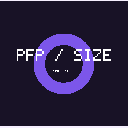


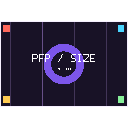
At 32 px, the masked small label supplies no row in either preview; at 64 px it supplies one; at 128 px it supplies two. The large “PFP / SIZE” line survives more clearly in both. Opening the six linked PNGs at 32, 64 and 128 CSS px is the visual check behind those statements; this page does not convert them into a “sharpness percentage.”
What the circular check counts
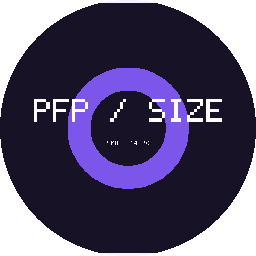
The circle is an inscribed circle in the 256 × 256 square. Using pixel centres, 14,068 of 65,536 pixels fall outside radius 128 px. That is 21.47% of the local canvas, close to the continuous-area value 1 − π/4 = 21.46%. The 0.01-point difference comes from counting whole pixel centres rather than an ideal curve. It is a geometry result, not a prediction of Twitch’s corner crop or a claim that a circular avatar is officially required.
The editorial share is measured separately from those image facts. measure_word_share.py strips scripts, tags, the article navigation and the article-meta template line from the denominator, then counts whitespace-separated tokens inside <article>. It applies the same tag rule to this #study section as the numerator. It includes headings, numbers and table cells. The current output is 1,063/3,226, or 32.95%; this is a word-token share, not a semantic de-duplication estimate.
Limits of this test
This is one synthetic source, one focus point at 50%, nearest-neighbour sampling, one PNG encoder and one JPG command at quality 92. The browser’s smoother resampler and the browser’s JPEG encoder will produce different pixels and bytes. No file was uploaded to Twitch, so the test says nothing about Twitch’s servers, compression, account state or display crop. The circle overlay is a local shape experiment only. What the test does support is repeatable: the source rectangle, crop and padding shares, decoded dimensions, byte counts, masked small-label rows, JPG decoder output and corner-pixel count can all be recomputed from the generator and the JSON.
Why a 256 × 256 profile picture can still look blurry
A public post in r/TwitchStreamers describes a profile picture and banner that looked blurry after sharing. A reply suggests PNG instead of JPG, and the original poster says both formats were tried. That is one user’s report, not a controlled test. It does show why “save it as PNG” is not a complete answer. The date was not independently verified, so this page does not print one.
Start with the source. If the original face is only 180 px wide, placing it on a 256 px canvas changes the canvas but cannot add 76 px of facial detail. If Fill removes the side of the frame that held the eyes or a fine logo, those pixels are gone. If Fit makes the whole 1200 px-wide image only 256 px wide, a 14 px line can occupy a handful of rows. None of those losses depends on the file extension alone.
Inspect the exact export at 32, 64 and 128 CSS px, then open the full 256 px file again. Compare the source and the encoded output, not two screenshots taken at different browser zoom levels. A PNG avoids lossy JPG quantisation in this local step; it does not restore source detail, undo a crop, or control what Twitch displays after upload. JPG can be smaller at a chosen quality, but this page does not claim that either format fixes a soft source.
The two Twitch pages read here do not publish their own compression settings, resampling method or circular crop. We therefore do not assign a cause to the Reddit case or repeat community explanations as rules. The useful local checks are narrower: is the exported file 256 × 256, did Fill discard something you wanted, does a 14 px detail survive the local view, and is the encoded file within the tool’s byte comparison?
Questions
Is 256 × 256 the maximum or a recommendation?
Account Settings places 256 × 256 in a sentence about the maximum profile-picture size. That is a ceiling, not a minimum or a recommendation. Channel Page Setup does not repeat the pixel value, and neither page read here supplies a recommended larger size.
Why should I not use the profile-banner or offline-canvas size?
They are different Twitch placements. Channel Page Setup recommends 1200 × 480 for a profile banner, while the offline/video-player artwork pixels are Not stated. Copying either value into the profile-picture field is not supported by the profile-picture rows in this table.
Why does this tool reject GIF?
Twitch lists GIF as a profile-picture format, but this tool does not preserve animation. It stops before decoding and says that GIF is not processed. It does not take the first frame and present that as your original animated file.
I exported a 256 × 256 PNG and it still looks blurry. What now?
Check the source detail, the Fill crop and the small local view first. A PNG can preserve the pixels you gave it, but it cannot invent detail that the source lacked or recover the part of the source that Fill removed. This page does not know Twitch’s post-upload processing, so it does not promise that changing JPG to PNG will fix every case.
Does the circle button match Twitch’s crop?
No. It changes only the local preview. The downloaded file remains a square 256 × 256 image. The official pages read here do not state a circular-display rule, so the circle is a geometry check rather than a Twitch mockup.
What does the 10,000,000-byte check prove?
It proves that the encoded file is at or below this tool’s comparison target. Twitch says “10 MB” but does not define the byte threshold on the pages read. A local pass is not proof that Twitch will accept the upload, and a fail is not proof that Twitch will reject it.
Are 800 × 800 or 200 × 200 official Twitch values?
No. This page did not find either value in the two official profile-picture rows. It marks minimum, ratio and circular display as Not stated instead of importing a community guide’s number.
Can I input an image larger than 256 × 256?
Yes. The source can be larger, subject to this tool’s 25 MiB and 40,000,000-decoded-pixel limits. The tool resizes or pads it to a 256 × 256 square and reads the encoded file back. That local operation does not certify Twitch acceptance.
Sources and evidence limits
- Twitch Account Settings — profile-picture maximum 256 × 256 px, GIF/JPG/PNG and 10 MB. Read 2026-10-31 UTC. Minimum, ratio, circular display and the byte definition of 10 MB are Not stated.
- Channel Page Setup — profile picture listed as JPEG, PNG or GIF with a 10 MB maximum but no pixel value in that section; profile banner recommended at 1200 × 480; offline/video-player pixels, formats and file limit Not stated. Read 2026-10-31 UTC.
- r/TwitchStreamers: “How to make your profile picture and banner not blurry?” — a public user report only. It is not a Twitch specification, and the page does not use it to claim a platform compression mechanism.
Where an official page did not state a value, the table says Not stated. No value was imported from a third-party size guide or from the Reddit discussion. The original sample files and the measurement script are linked above so the arithmetic and file readback can be repeated.
Other image tools
Making the wider channel image instead? Use the Twitch banner size tool and keep its 1200 × 480 recommendation separate from the profile picture.
Looking for another platform’s profile image? Open the YouTube profile picture size guide, or return to the ThumbGlance thumbnail tester.