SMALLER FILES, CHECKABLE RESULTS
YouTube thumbnail compressor.
Keep your pixel dimensions, export as JPG, then lower the quality setting until the file fits. Check fine text before downloading. If a flat-color PNG is already small, converting it to JPG can make it bigger.
Compress in the local image tool →See six measured exports ↓
Free · No account · Images stay on your device
Original experiment: September 22, 2026 · Chrome 153 on macOS
Compress without accidentally resizing
- Open the image tool and choose your JPG, PNG or WebP file.
- Select Custom dimensions. Copy the source width and height shown below the file picker. The tool starts at 1280 × 720; that preset does not preserve every source size.
- Choose JPG. Compare 0.92, 0.75 and a lower setting if necessary, checking the actual encoded preview and bytes after each change.
- Download the smallest version whose detail you are happy with. Keep your original file as well.
JPG removes image information. The slider is an encoder setting, not a percentage of detail preserved. Our tool does not promise a target file size or silently shrink the dimensions to reach one. If the source is wider or taller than the tool's 4096-pixel output limit, you must choose smaller dimensions explicitly.
OUR OWN CONTROLLED SAMPLES
Same pixels. Different file sizes.
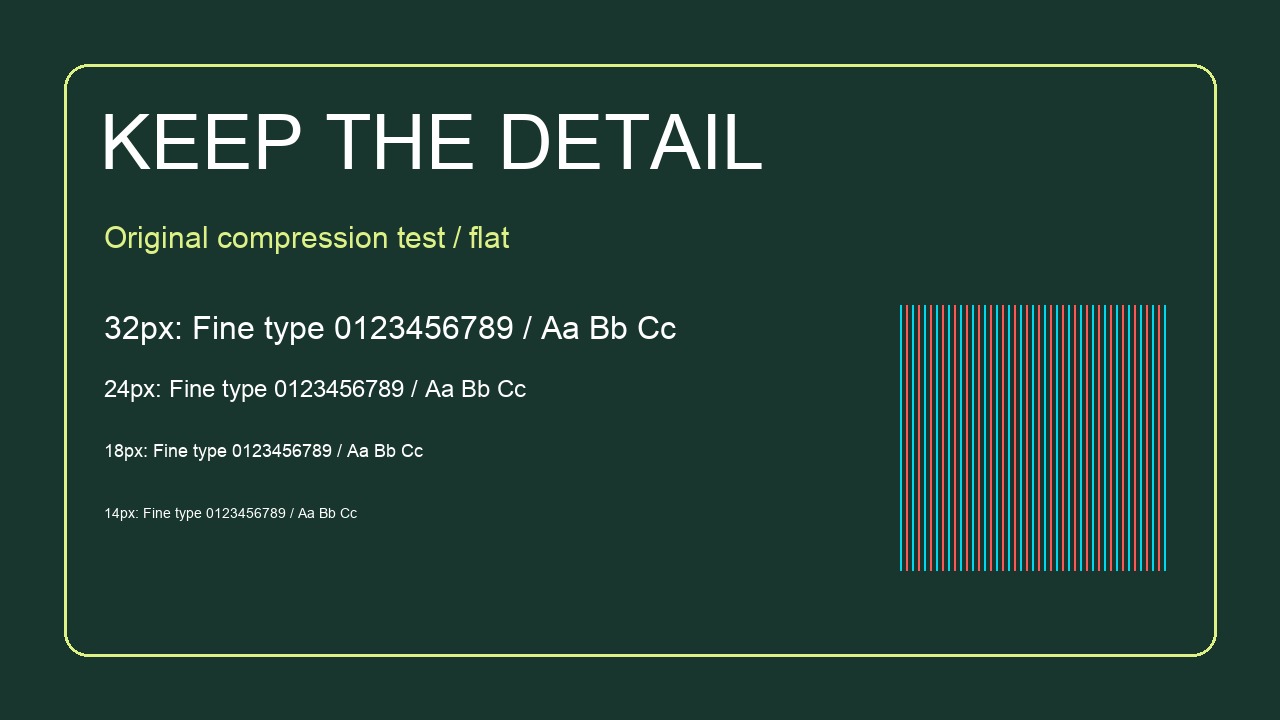
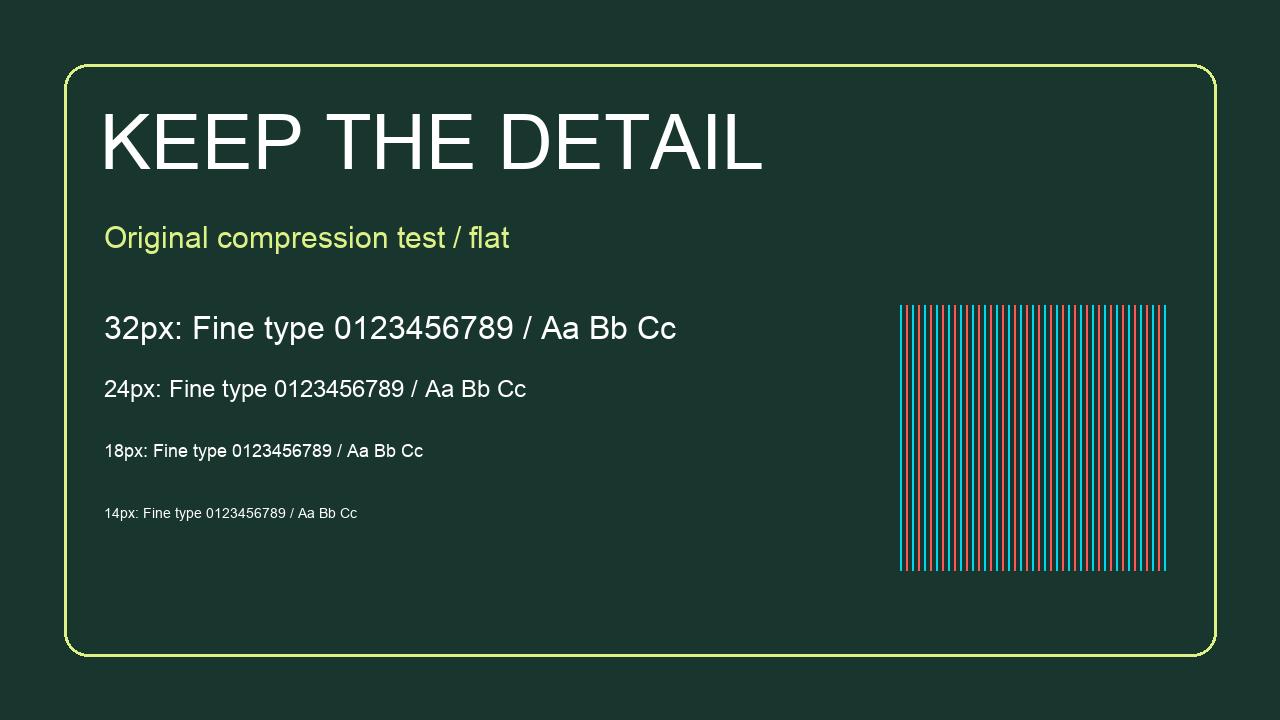
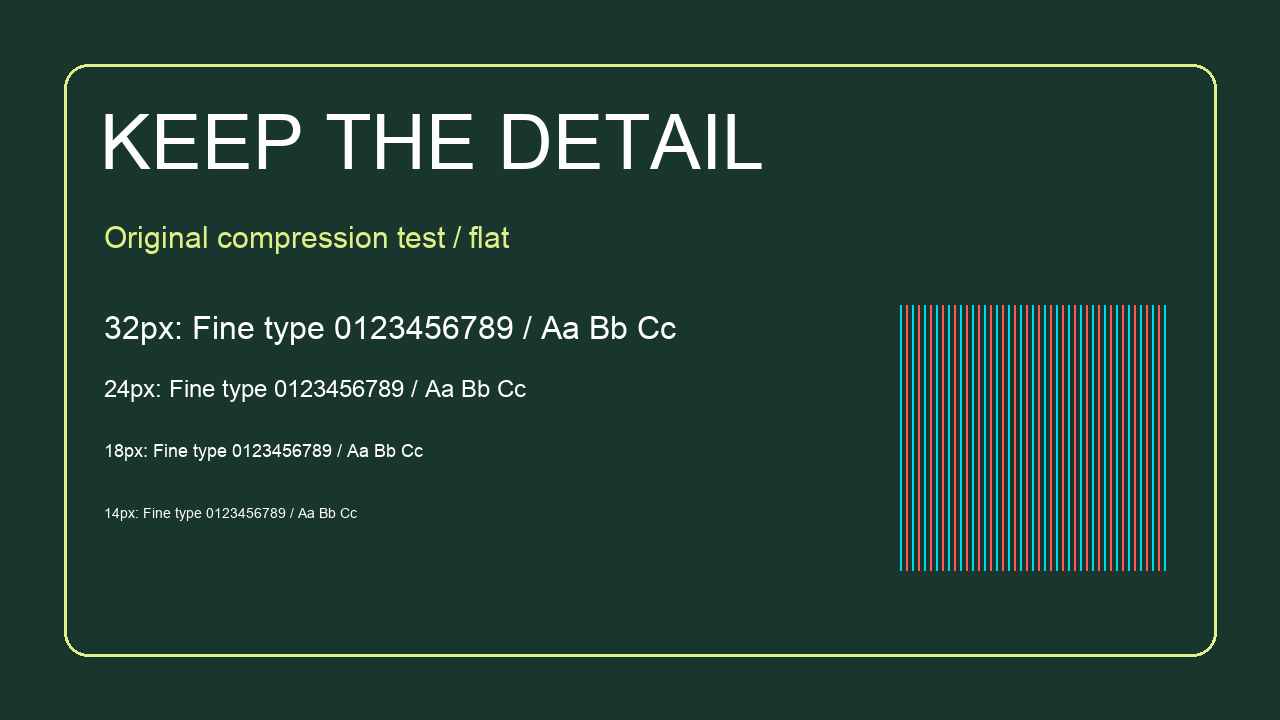
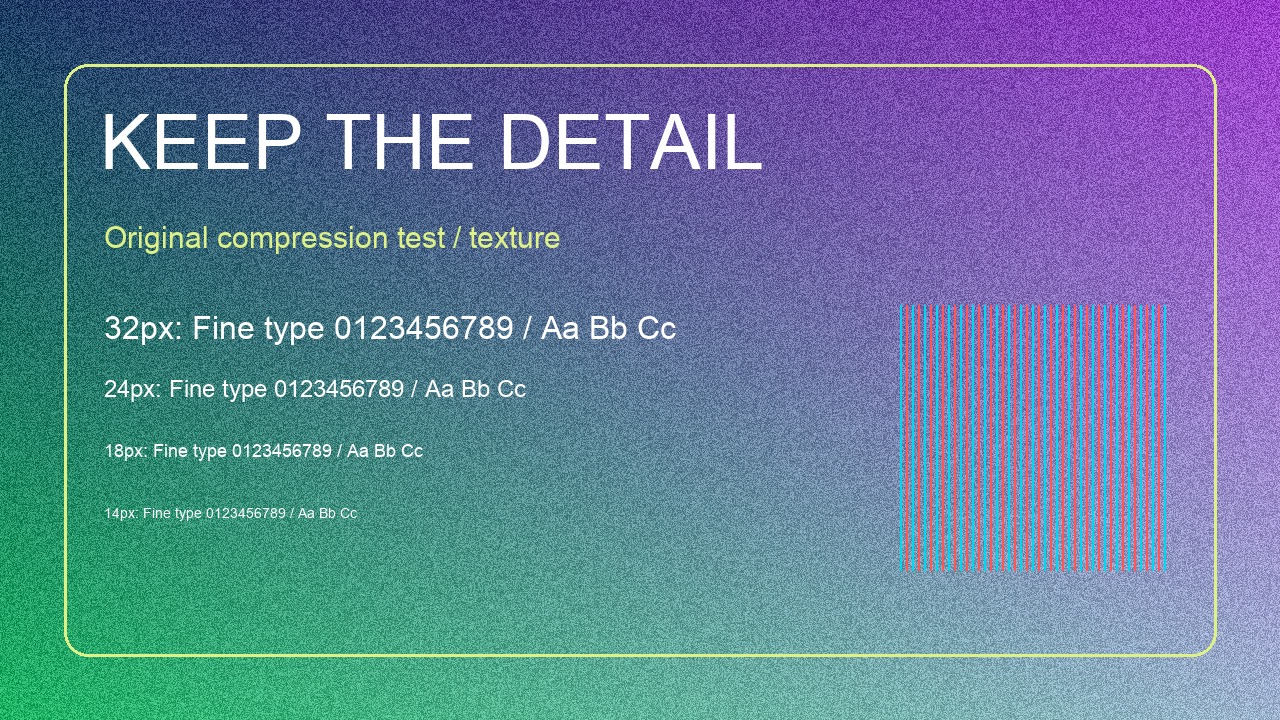
We made two original 1280 × 720 PNG images. Both contain the same large headline, white lettering at 32, 24, 18 and 14 pixels, a thin outline and alternating colored lines. The first has a flat green background. The second adds a deterministic, noisy gradient. This changes the background complexity while keeping the layout and text sizes fixed.
Each source was loaded into ThumbGlance's existing image tool and exported at JPG settings 0.92, 0.75 and 0.40. Width, height, Fit mode and white background stayed unchanged. These are six files produced by the browser encoder, not typical-size estimates. Every download below is the file we measured.
| Sample / JPG setting | Source PNG | Exported JPG | Change from source |
|---|---|---|---|
| Flat / 0.92 | 46,169 | 80,843 bytes | +75.1% |
| Flat / 0.75 | 46,169 | 57,975 bytes | +25.6% |
| Flat / 0.40 | 46,169 | 42,241 bytes | -8.5% |
| Texture / 0.92 | 1,650,959 | 506,328 bytes | -69.3% |
| Texture / 0.75 | 1,650,959 | 302,117 bytes | -81.7% |
| Texture / 0.40 | 1,650,959 | 143,034 bytes | -91.3% |
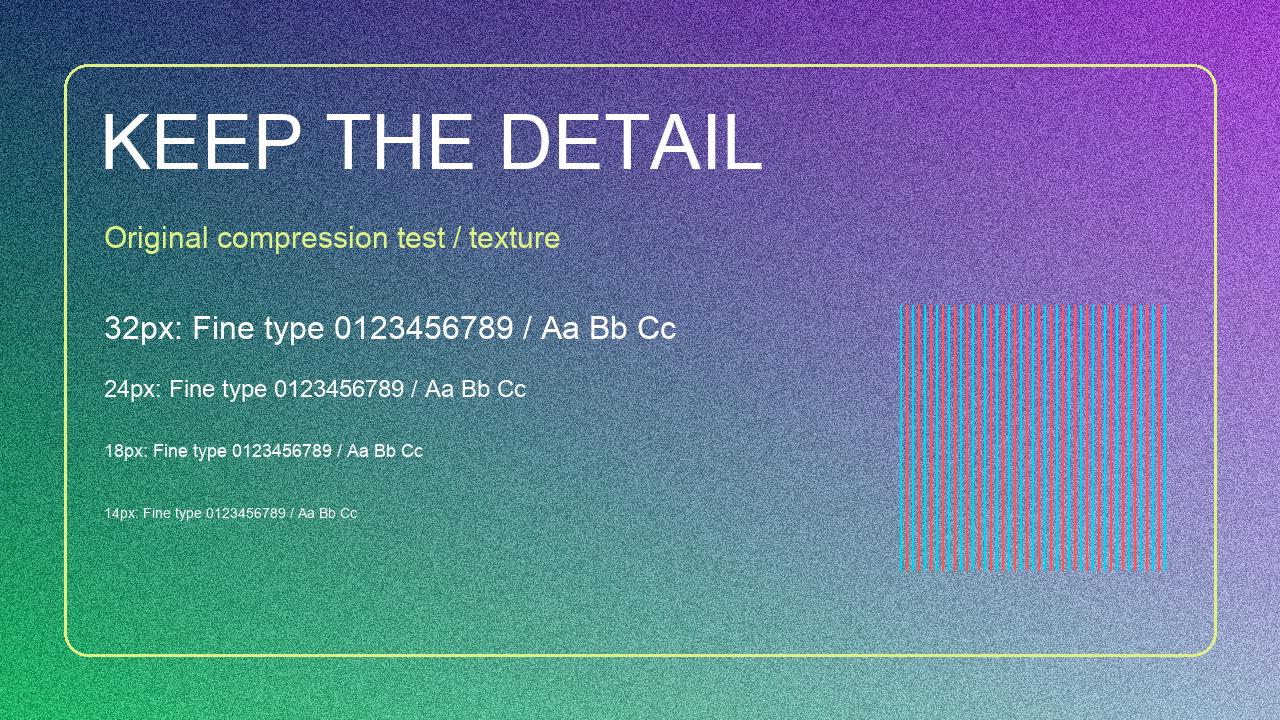
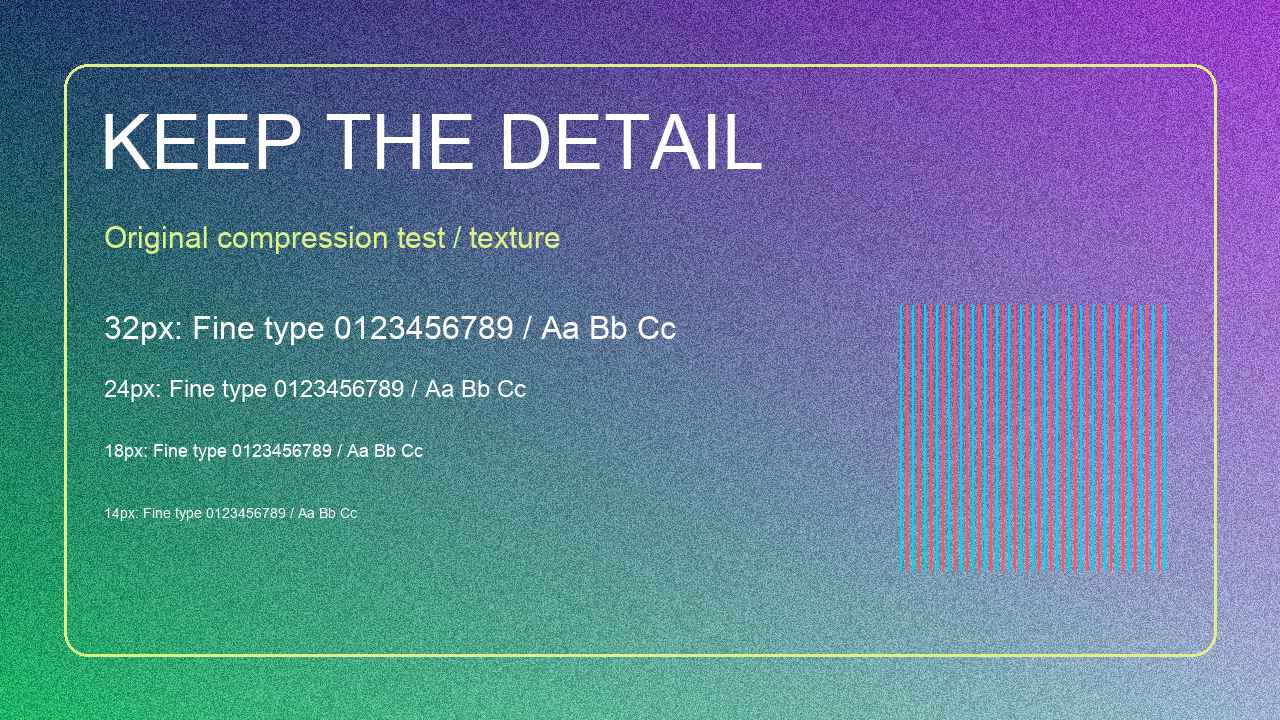
Download measurements and file hashes (CSV) · Browser experiment record (JSON)
The flat graphic got larger before it got smaller
The flat PNG is 46,169 bytes. At 0.92, its JPG export is 80,843 bytes: approximately 75.1% larger. At 0.75 it is still 57,975 bytes. Only the 0.40 export, at 42,241 bytes, beats the original PNG in this test. That saves about 8.5%, in exchange for a lossy copy. For this particular source, keeping the PNG is a reasonable starting point; conversion is not automatically a saving.
The textured graphic behaved differently
The textured PNG is 1,650,959 bytes. Its 0.92 JPG is 506,328 bytes, about 69.3% smaller, while 0.75 produces 302,117 bytes. At 0.40 the file falls to 143,034 bytes, about 91.3% below the PNG. All three retain the same pixel dimensions. These measurements show why a single promised compression percentage cannot describe both a simple graphic and a noisy image.
Why these are samples, not universal recommendations
The noisy background is synthetic, not a camera photograph or a representative sample of creators' work. We chose it to stress the encoder, not to predict an average thumbnail. The flat sample deliberately favors PNG. Two images can demonstrate a counterexample to “JPG is always smaller”; they cannot establish a best setting for every image.
The quality values were chosen before looking at the results. We used the same source for every export, rather than repeatedly recompressing a previous JPG. Browser versions and encoders can produce different byte counts. The recorded sizes are exact for these downloadable files; repeat runs on another device need not match them byte for byte.
Look at the fine text, not only the byte count
These panels use identical source coordinates for every crop. The top row shows the detail at its original pixel scale in the full-resolution panel. The lower row enlarges a smaller region by exactly 2× with nearest-neighbor sampling, so it exposes existing pixels rather than inventing smooth edges. Your browser may scale the whole panel to fit; open it at full size for pixel inspection.
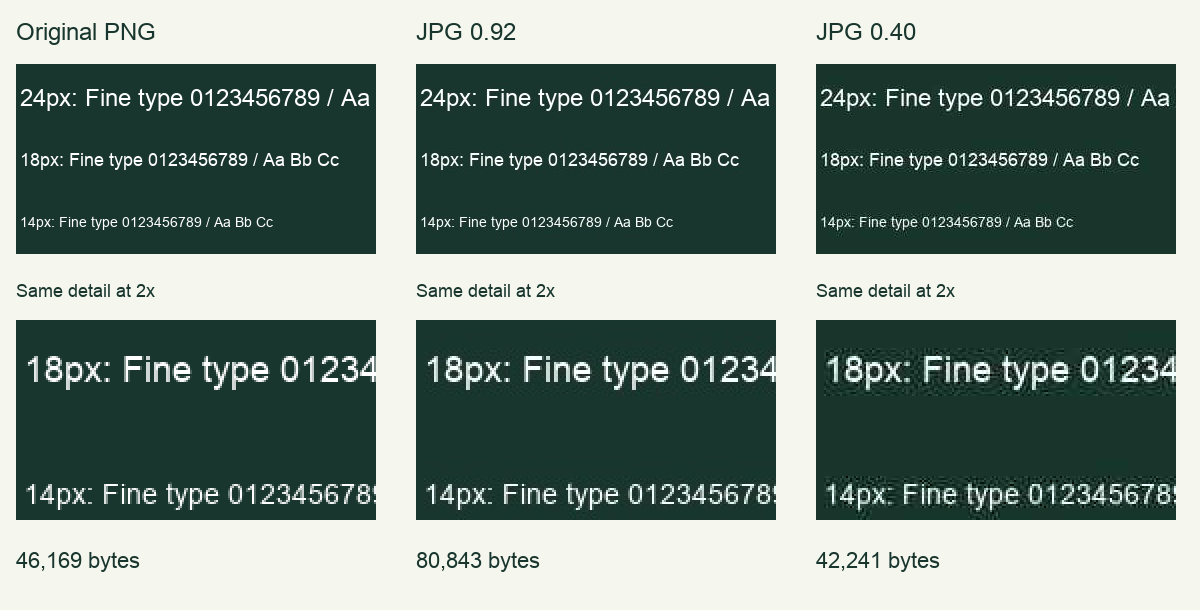
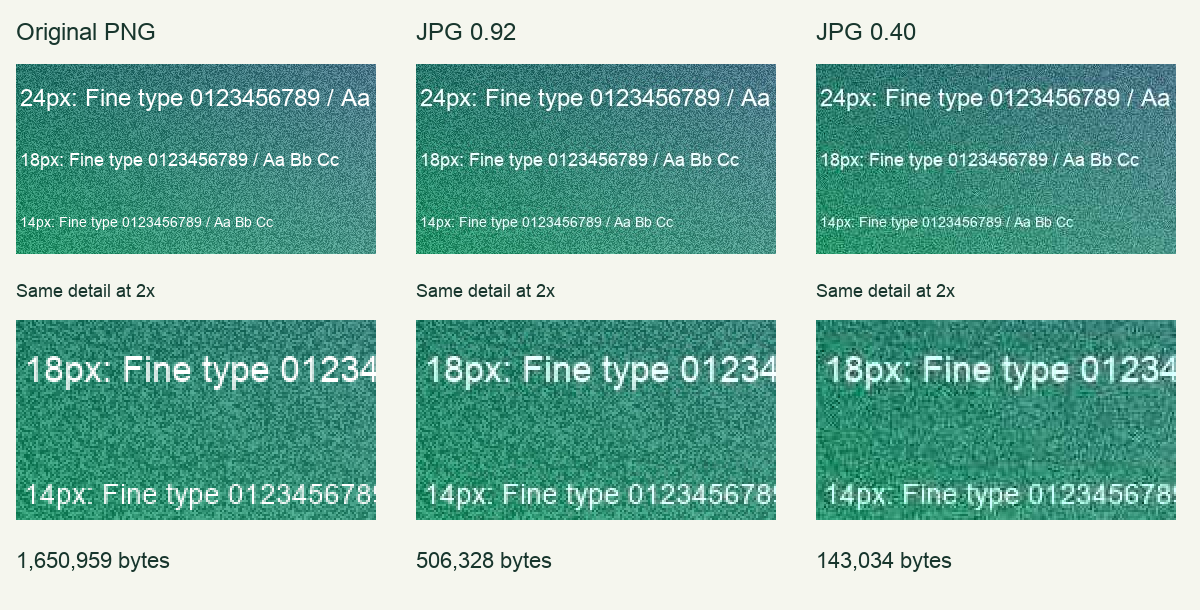
Inspect the edges of the white letters, the space inside small characters and the background immediately around them. Compare these regions with the PNG reference before deciding whether the smaller file is acceptable. An enlarged crop makes encoding artifacts easier to examine; it is not a simulation of how large the thumbnail appears on YouTube.
Next inspect the complete image at a small display size in the thumbnail tester. A letter that is only 14 pixels tall in a 1280-pixel-wide source becomes approximately 3.9 pixels tall when the image is displayed at 360 pixels wide: 14 × 360 ÷ 1280. Even a lossless source cannot make that tiny lettering comfortably readable. Compression and text layout are different decisions.
Repeat the comparison with your own file
- Save the original before testing. Record its dimensions and actual bytes.
- Keep the dimensions constant while comparing the three settings. Use the source each time.
- Record the output bytes, then check the same letters in each preview.
- If no small JPG looks acceptable, compare the original PNG or simplify the source design. Resize only as a separate, deliberate test.
To verify our arithmetic, divide the exported bytes by source bytes, subtract one, then multiply by 100. A positive change means the export is larger. The CSV includes a SHA-256 hash for each JPG so you can check that a downloaded file matches the measured artifact. This study did not test YouTube uploads, YouTube's own processing, audience response or search ranking.
Which file-size limit should you check?
Checked September 22, 2026: YouTube Help lists a 2 MB limit for mobile video-thumbnail uploads and a 50 MB desktop limit for video, Shorts and podcast thumbnails. It recommends 3840 × 2160 for video thumbnails. Our experiment uses 1280 × 720 to isolate compression at one fixed size; it is not a replacement for current official guidance.
The tool flags files at or above 2,000,000 bytes as a conservative mobile check. Bytes and pixel dimensions are separate checks, and passing a size check does not guarantee upload acceptance. Check YouTube's current thumbnail requirements ↗
Questions, answered
Can I compress without changing width and height?
Yes. Set Custom dimensions to match your source and adjust JPG quality. This tool changes dimensions only to the values you select; it does not automatically resize to meet a target byte count.
Why is my compressed file bigger than the PNG?
Flat colors and sharp graphics can be compact in PNG. Our flat sample's 0.92 JPG is larger than its original PNG. Compare actual file sizes rather than assuming that conversion means compression.
Does quality 0.75 mean I keep 75% of the quality?
No. It is a browser encoder input. There is no universal linear relationship between this number, perceived detail and output file size.
Will JPG preserve a transparent background?
No. The tool fills transparent areas with your selected background for JPG. Use PNG when transparency needs to remain in your downloaded file.